For providers
Reduce manual note construction, support more natural patient conversations, and review a drafted note instead of starting from a blank screen.

Help clinicians streamline documentation, surface patient and clinical information, and automate routine workflow tasks with a secure AI clinical assistant built for healthcare teams.
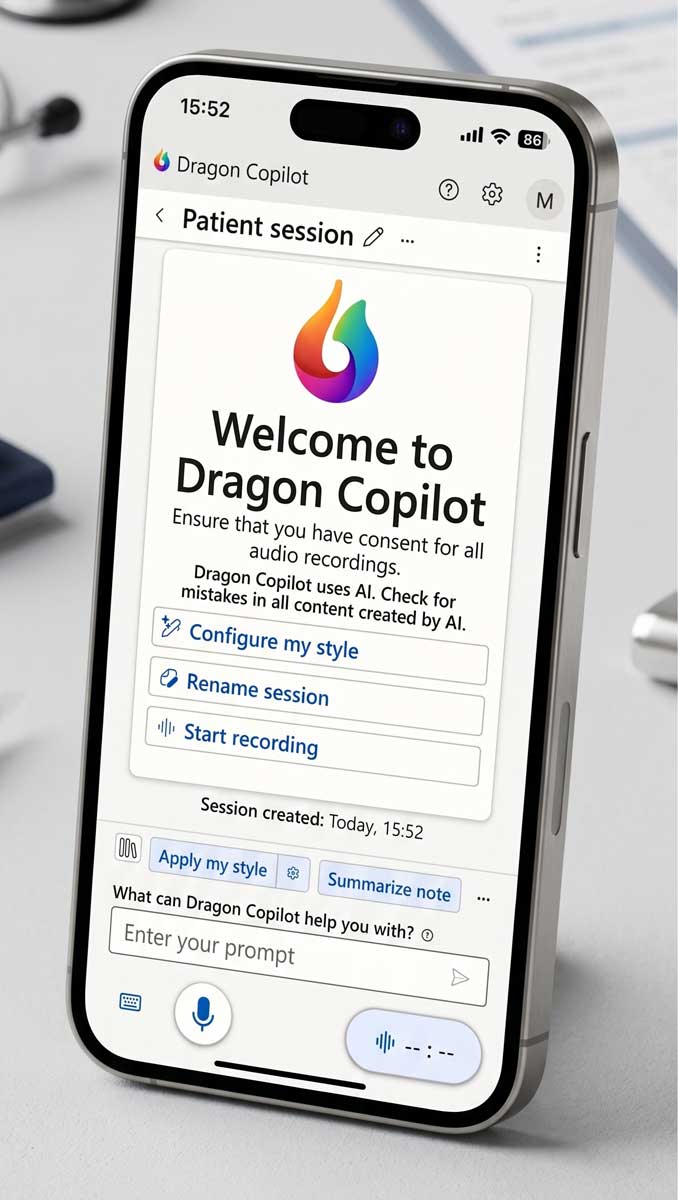
Dragon Copilot is Microsoft’s AI clinical assistant for clinical workflow. It combines conversational AI, ambient documentation, generative AI, and trusted Dragon voice capabilities to help clinicians create draft documentation and complete related tasks with less manual effort.
For providers, the value is practical: spend less time building notes from scratch and more time focused on the patient in front of you. Dragon Copilot listens during the encounter, drafts structured content, and supports review and refinement before final documentation moves forward.
For administrators, IT leaders, and executives, the opportunity is broader. A clinical AI assistant can support documentation consistency, reduce after-hours charting pressure, improve adoption of voice and AI workflows, and fit into a larger clinical documentation strategy.
Clinical AI only works when it fits real workflows. Dragon Copilot speaks to provider documentation burden, operational efficiency, IT readiness, and executive goals.
Reduce manual note construction, support more natural patient conversations, and review a drafted note instead of starting from a blank screen.
Support throughput, documentation consistency, training adoption, and a cleaner implementation path for physicians and staff.
Evaluate device access, EHR workflow options, admin settings, user training, security review, and rollout requirements before go-live.
Address physician burnout, documentation burden, workflow efficiency, and AI governance with a partner who understands adoption.
Dragon Copilot brings together ambient capture, voice AI, clinical note drafting, information guidance, and workflow automation in a unified experience.
Capture clinician and patient conversations and generate draft clinical output for clinician review.
Useful for AI clinical documentation and ambient scribe workflows.Create specialty-aware draft documentation that clinicians can review, edit, and finalize.
Designed to reduce manual documentation work.Support EHR documentation workflows through web, mobile, desktop, and supported embedded experiences depending on environment.
Compatibility varies by EHR and configuration.Generate patient or physician-facing documents such as referral letters and summaries when enabled and supported by region.
Document features depend on setup and availability.Ask questions and receive contextual support from notes, transcripts, and trusted medical references when available.
Built to reduce searching and toggling.Built as a secure AI workspace for healthcare, with deployment and data handling details that IT teams should review before launch.
Advanced Medical of Georgia can help coordinate readiness.Dragon Copilot supports a practical clinical documentation workflow that starts before the visit and ends with clinician review.
Set up user preferences, specialty context, note style, templates, and documentation workflow expectations.
Have a natural patient conversation while Dragon Copilot captures the encounter for draft documentation.
Use AI-assisted outputs such as notes, summaries, letters, or other documents when enabled for your organization.
The clinician remains in control, reviewing, editing, and approving documentation before it becomes part of the workflow.
Both products support clinical documentation, but they solve different parts of the workflow.
Dragon Medical One helps clinicians dictate into the EHR and other clinical systems with medical speech recognition, personalized vocabularies, templates, and voice commands. The provider still directs the note content.
Dragon Copilot goes beyond dictation by capturing the encounter, drafting documentation, helping surface information, and supporting workflow tasks such as summaries or letters when enabled. The clinician reviews and approves the output.
A successful Dragon Copilot rollout is not just a software decision. It is a workflow, training, IT, and change management decision.
Common questions from providers, practice administrators, healthcare IT teams, and executives.
Talk with Advanced Medical of Georgia about Microsoft Dragon Copilot demos, Dragon Medical One workflows, clinical documentation training, EHR considerations, and practical rollout support.
Compare options, read common questions, review training resources, and connect Dragon Copilot to your broader documentation strategy.